Skip to content
Website Help Center

How to Add Multiple Business Locations to Your Website

If your business operates from more than one location, you can list those locations in the footer of your Site Before Night website. Each location can include its own title, address, phone number, email address, and hours of operation so visitors can find the information that applies to them.

Address Add the physical address for each business location.
Contact Details Include a phone number and email address for the location.
Business Hours Show the operating hours that apply to that location.

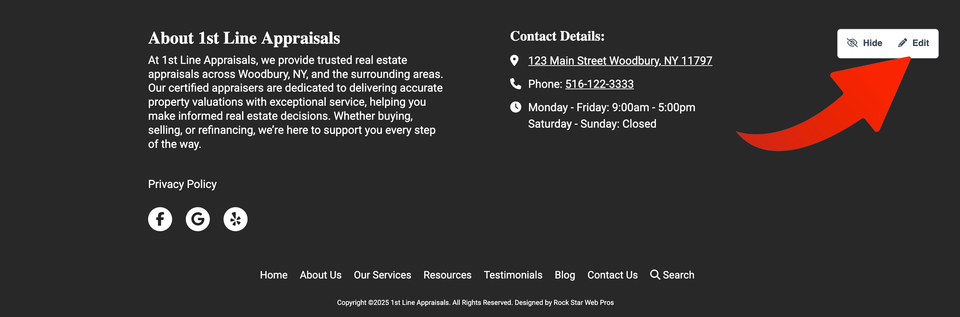
Open the footer for editing

In your website editor, scroll to the bottom of the page and hover over the footer section. Select Edit to open the footer settings.
Sbn multiloc s1 ss1

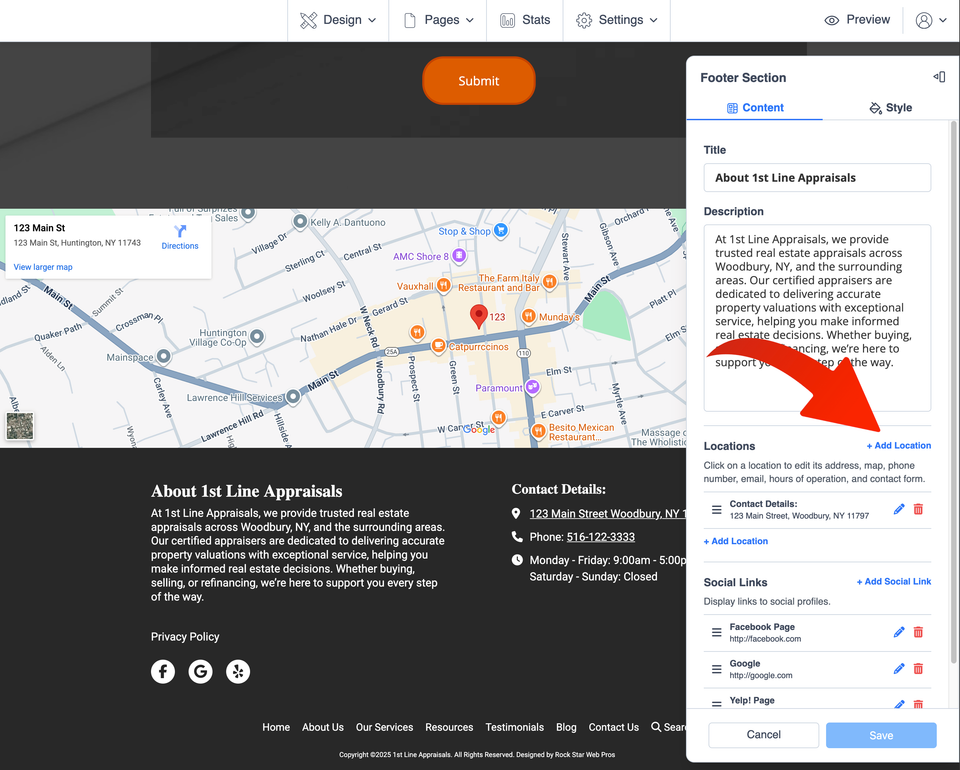
Add another location

In the Footer Section panel, scroll down until you reach Locations. Select + Add Location to create another location entry.

Existing locations are listed in this same area, making it easier to keep each office, store, or service location organized separately.
Sbn multiloc s2 ss1

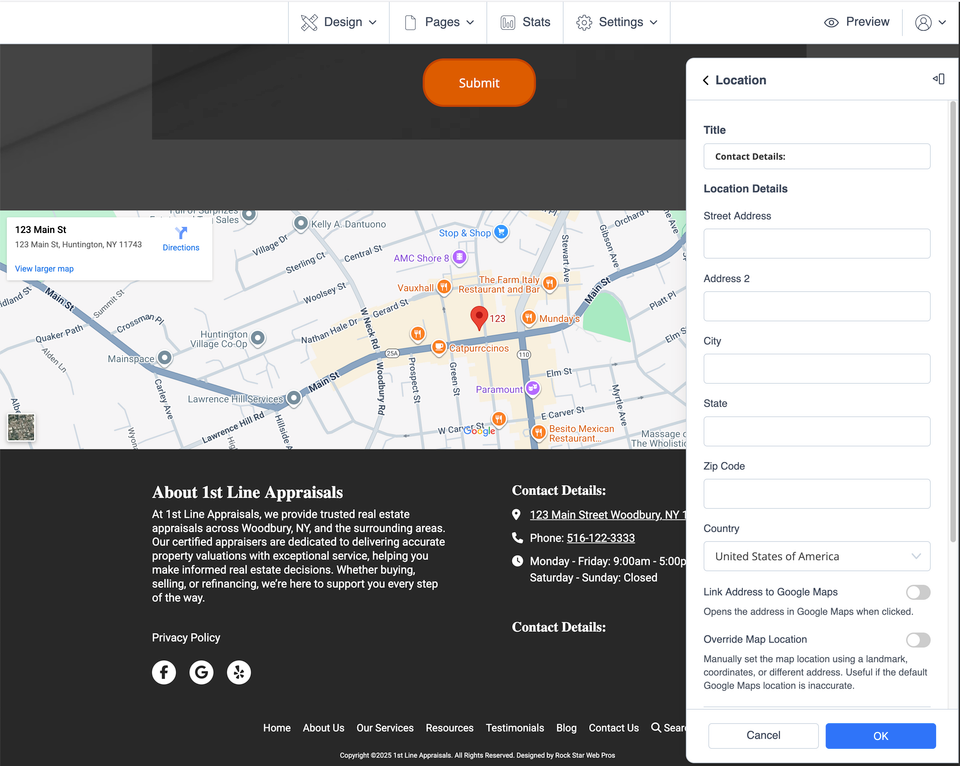
Enter the location details

Add the information for that business location. You can enter a location title, address, phone number, email address, and hours of operation. When the information is ready, select OK.

Location Title
Address
Phone
Email
Hours

How many locations can you add?

The website editor supports up to 30 separate locations for the same business.

Sbn multiloc s3 ss1

Make each business location easy to recognize

Clear location information helps visitors quickly identify the office, store, or service location that is most useful to them.

Use clear location names

A label such as “Downtown,” “North Office,” or the city name can make multiple locations easier for visitors to distinguish.

Keep details complete

Review the address, phone number, email address, and operating hours for every location so customers receive the right information.

Review changes afterward

Look over your website footer after updating locations and make sure each entry is clear and accurate.

Common questions about multiple locations

Can each location have different contact information?

Yes. Each location can have its own title, address, phone number, email address, and hours of operation.

How many locations can I add?

You can add up to 30 separate locations for the same business.

Where are these locations displayed?

These location entries are managed through the footer section of your website.

What if I do not see the Locations option?

If the controls shown in this tutorial are not available in your editor, contact Site Before Night Technical Support rather than changing advanced website settings.

Looking for another website editing guide?

Visit the Site Before Night Website Help Center for more tutorials covering ordinary website updates and personalization.

Visit the Website Help Center