Website Leads & Statistics
How to Add or Edit a Website Contact Form
A contact form gives visitors a simple way to send your business a message directly from your website. In your Site Before Night website editor, you can add a new Email Form section or update a form that is already on one of your pages.
Adding a new form?
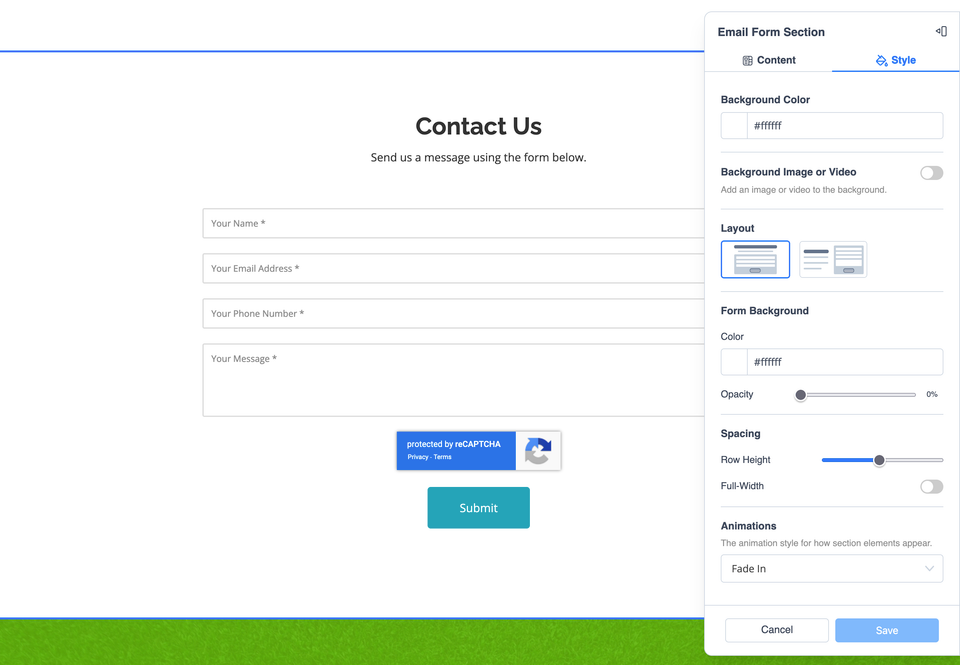
Place an Email Form section where you want visitors to contact you, then personalize its content and appearance.
Editing an existing form?
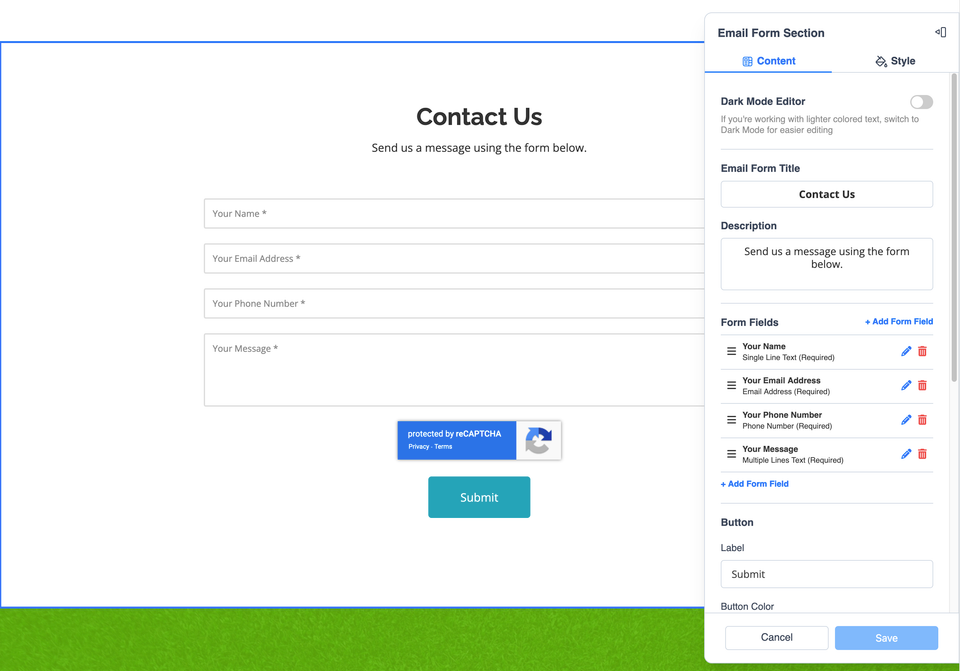
Open the form section already on your page and continue with the Content and Style steps below.
Add a New Contact Form
- Open the page where you want the contact form and scroll to the location where it should appear.
- Select + Add New Section.
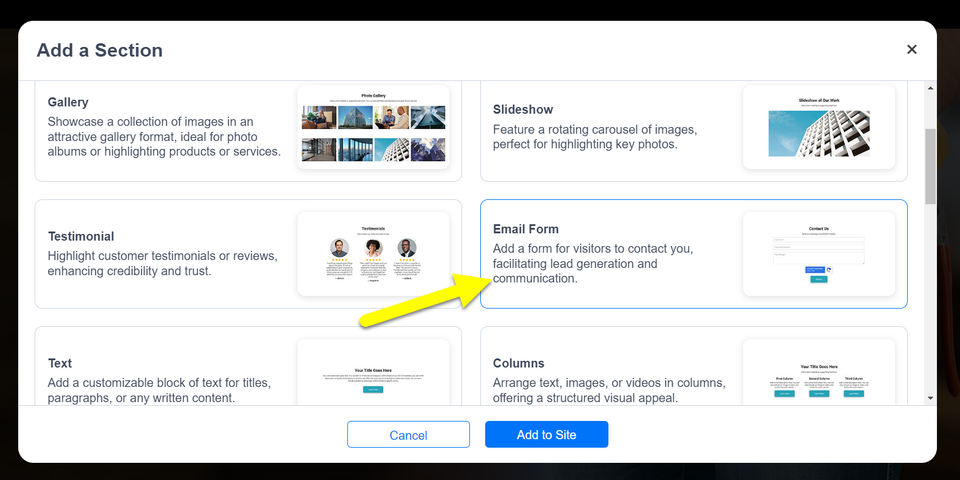
- Choose the Email Form option.
- Select Add to Site.
Already have a contact form? You do not need to add another one. Open the existing form section and continue to the Content controls in the next step.