Skip to content
Google & SEO Basics

How to Add Page-Specific SEO Titles and Descriptions

Each important page on your website can have its own SEO title and description. Giving a page information that actually matches its content makes it easier to describe that page clearly instead of relying on the same general wording throughout your website.

For example, your About page can focus on your business and experience, while a service page can focus on that particular service and the area you serve. The goal is simple: describe the individual page accurately and naturally.

Keep it page-specific. Write the title and description for the page you are editing rather than copying the same SEO text onto every page.

Start with the page you want to optimize

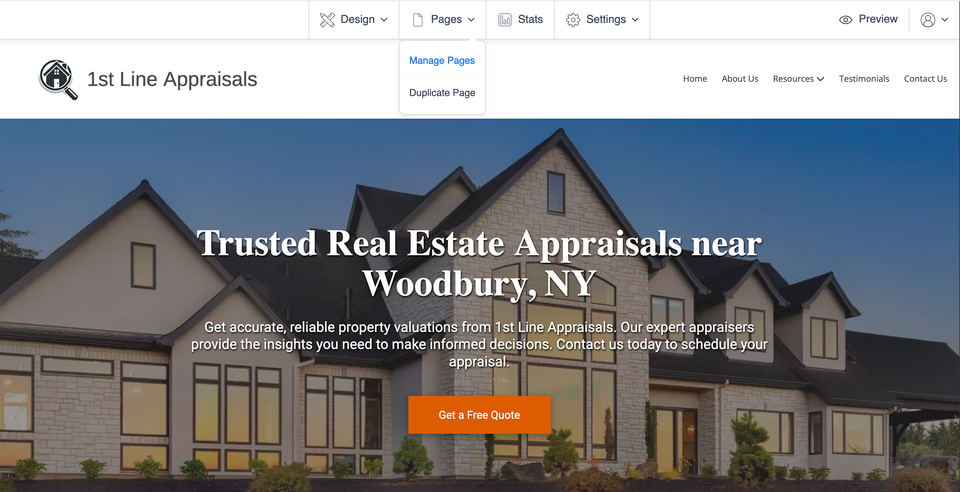
From your website editor, open Pages and choose Manage Pages.
Seo 001 s1 ss1

Open the settings for that page

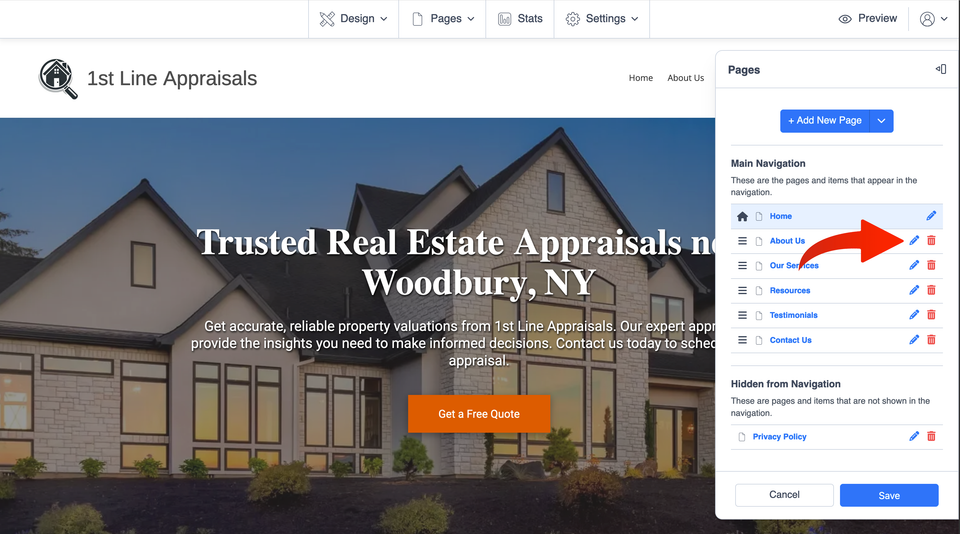
Find the page you want to update, then select the pencil icon next to that page to open its page settings.

Seo 001 s2 ss2

Turn on page-specific SEO

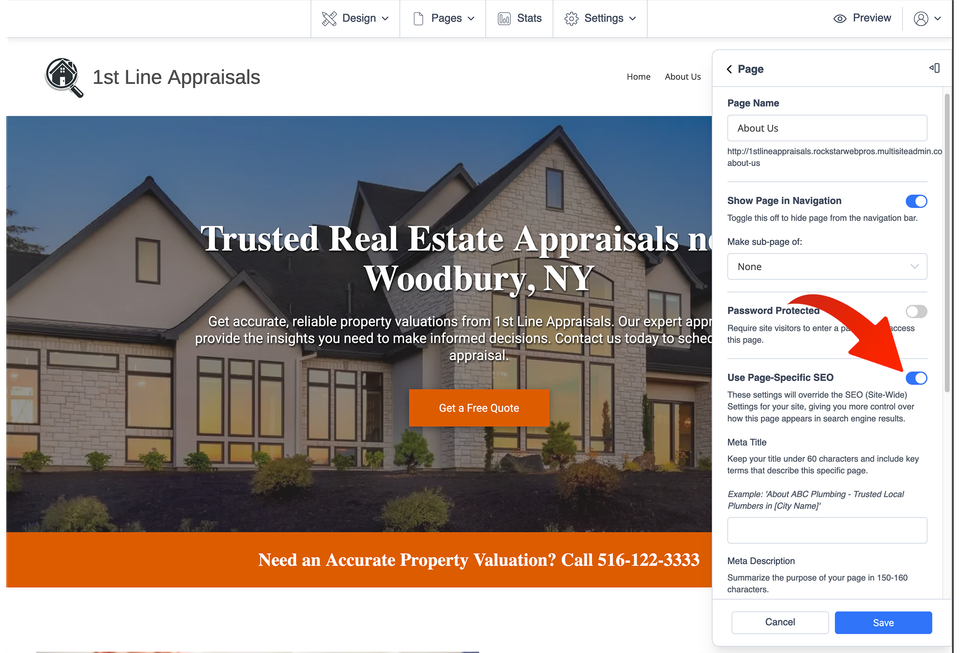
In the page settings, turn on Use Page-Specific SEO.

This is the setting that lets you give this page SEO information based on its own subject instead of relying only on broader website-wide information.

Think about what someone should understand from this particular page: the service, topic, business information, or location it actually covers.

Seo 001 s3 ss3

Write the title and description for this page

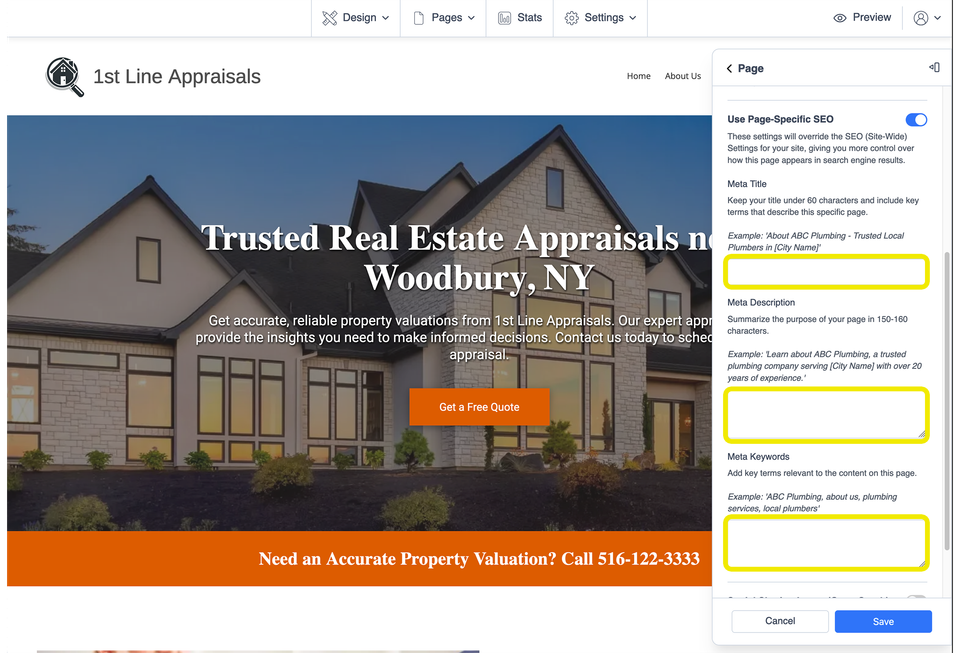
Complete the page-specific SEO fields with wording that accurately describes the page you are editing.

Meta Title

Aim for a concise title under about 60 characters. Include the main subject of the page and, when it makes sense, your business name, service, or location.

Example:
About Pine Ridge Plumbing | Augusta, GA

Meta Description

Write a natural summary of the page. A practical target is roughly 150–160 characters, but clarity matters more than forcing unnecessary words into the description.

Example:
Meet Pine Ridge Plumbing and learn about our local team, experience, and approach to serving homeowners throughout the Augusta area.

Keywords field

Your editor may also show a Meta Keywords field. If you use it, keep the terms closely related to the actual content of this page. Avoid filling it with unrelated phrases simply to add more keywords.

Seo 001 s4 ss4

Before you move to the next page

  • Make the title and description specific to this page.
  • Describe what the visitor will actually find on the page.
  • Use your business name or location only where it fits naturally.
  • Avoid repeating the same title and description across every page.
  • Write clearly for real people instead of stuffing in extra keywords.
  • Repeat the process for other important pages that need their own SEO information.

Common questions

Should every page have different SEO wording?

Important pages should normally have titles and descriptions that reflect their own content rather than repeating one generic description everywhere.

What should I put in the title?

Start with the main subject of the page. Add your business name, service, or location when it helps describe the page naturally.

What if I am not sure what to write?

Describe the page in plain English: what it is about, who or what it helps, and the most important information someone will find there.

Keep improving your website SEO

Visit our Google and SEO Basics resources for more practical guidance on the SEO controls available for your Site Before Night website.

Page titles and descriptions are ordinary website updates you can manage yourself. If you need a broader SEO strategy, ongoing optimization, or an SEO campaign, learn about advanced services through Kingdom Web Pros. SEO settings can support a well-organized website, but they do not guarantee search rankings.