How to Exclude a Page From Website Search Results
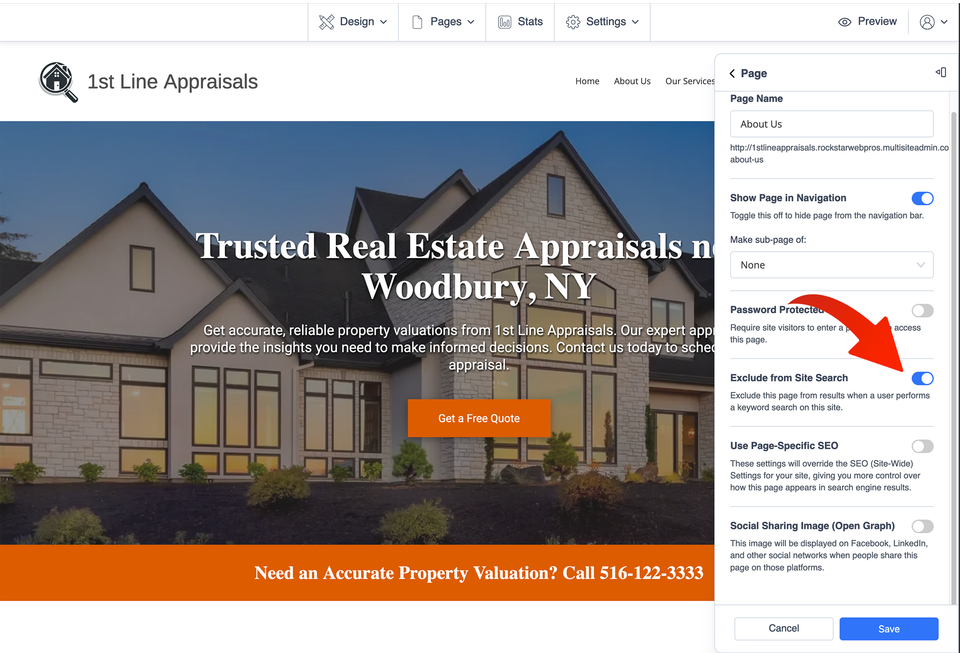
If your Site Before Night website uses its built-in search tool, you can keep a specific page from appearing when visitors search your website. The page itself stays in place; you are simply changing whether the website's search feature includes it in its results.
Important: This tutorial is about the search tool used by visitors on your website. It is not a tutorial for removing a page from Google or another search engine.
Find the page you want to exclude
Start in your website editor. This option is useful only when the built-in Site Search feature is being used on your website.
-
1
Confirm website search is in use
Make sure your website uses the built-in search feature. If visitors do not have a website search tool to use, excluding a page from those results is unnecessary.
-
2
Open your pages
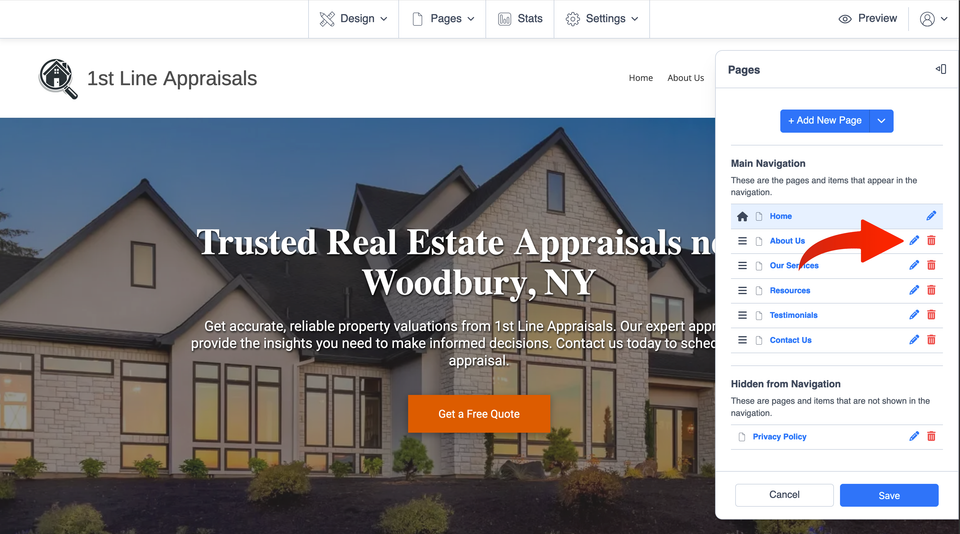
From the website editor, open Pages and then Manage Pages.
-
3
Edit the page
Find the page you want to keep out of website search results and select the pencil/edit icon beside that page.