Skip to content
Website Help Center

How to Log In to Your Website

Your Site Before Night website includes secure access that lets you make the ordinary updates available to your account. You can start from your own website—there is no separate reseller dashboard you need to learn.

1

Open your live website in your web browser.

2

Scroll to the bottom of the page and find the Login link in the footer area.

3

Select Login to open your website sign-in screen.

4

Enter the email address and password provided for your website account and sign in.

Keep your login information handy. Website access credentials are provided when your account is set up rather than through an automatic account-creation email. If you do not have your credentials, Site Before Night can help you determine the next step.


H 002 s1 ss1

What Happens After You Log In

Once you are signed in, you can access the website tools that are available to your account. The exact options you see may depend on how your Site Before Night website has been configured.

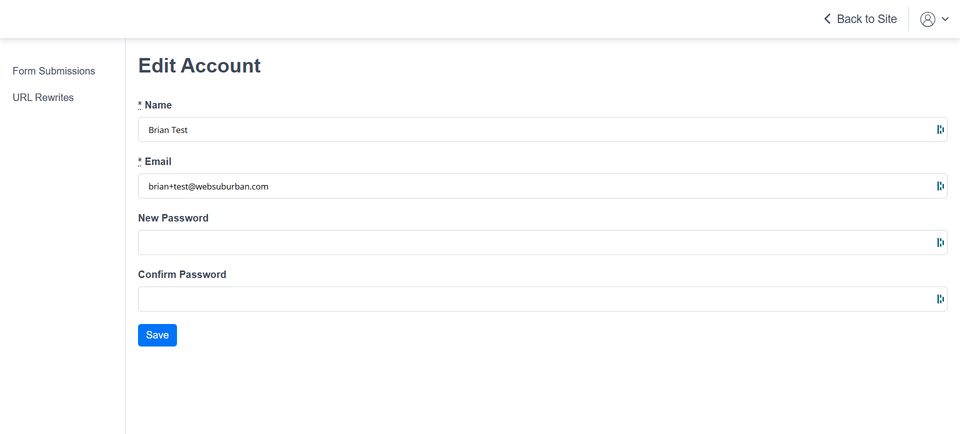
You may also see a person or account icon. Open that menu and choose Edit Account when you need to review your website account information.

That is normal: some technical or design-level controls may remain managed by Site Before Night so routine content changes stay separate from settings that could affect the website's operation or overall design.

H 002 s2 ss1

Update Your Login Details When Needed

The Edit Account screen lets you maintain the basic information associated with your website login. After making a change, save your updated information before leaving the screen.

Name

Keep the name associated with your website account current.

Email

Update the email address associated with your website login when necessary.

Password

Use a strong, unique password and store it somewhere secure.

H 002 s3 ss1

Having Trouble Logging In?

If your credentials are missing, your password is not working, or you cannot reach the website tools you expect to see, avoid changing technical settings on your own. Site Before Night can help with website access and platform-related issues.